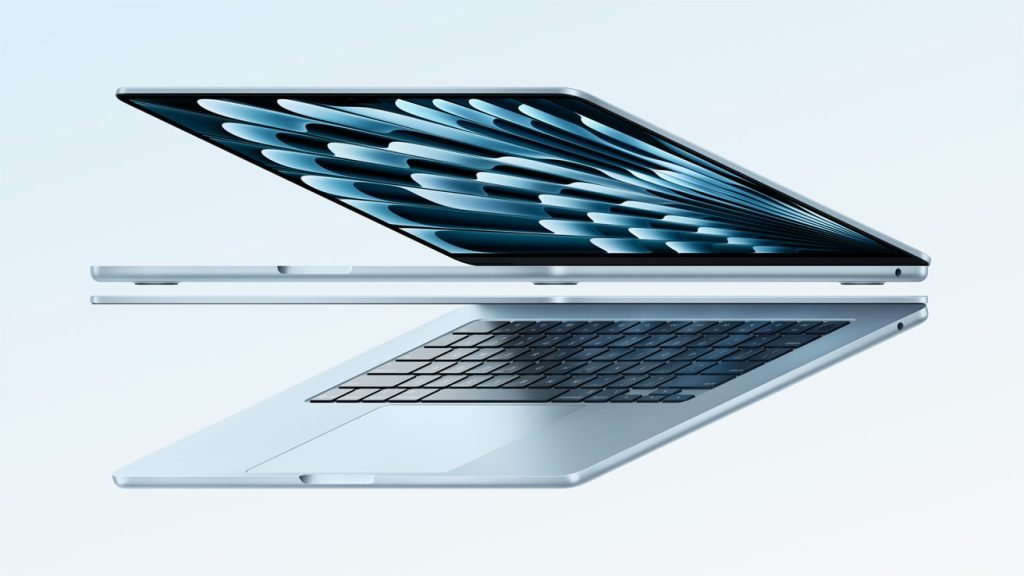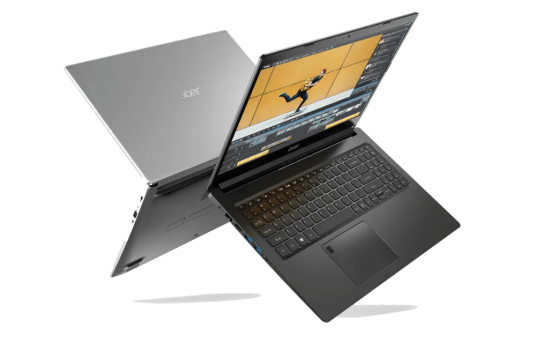
Ever feel stuck using a mouse and keyboard? Do you wish you could just touch your screen to get things done? The best touchscreen laptops offer a more natural, intuitive way to interact with your computer. They boost productivity, let you get creative, and make everyday tasks simpler.
Touchscreen laptops aren’t all the same. We’ll cover what to look for and share our top picks.
Why Touchscreen Laptops Matter in 2026
Look, back in the day, touchscreen laptops felt like a gimmick—something you’d poke at in a store and then forget about once you got home. But fast-forward to 2026, and they’re not just surviving; they’re thriving because our lives are messier, more fluid, and way more hands-on than ever. Think about it: We’re not chained to desks anymore. Creatives like graphic designers or video editors are sketching wireframes with a stylus during a coffee run or annotating client feedback right on a mockup without switching tabs. I mean, who hasn’t wished they could just swipe away a layer in Photoshop instead of fumbling with a mouse? Students are killing it too—imagine jotting notes in OneNote during a lecture, flipping the screen to tablet mode for group brainstorming, or even doodling diagrams in a biology app without lugging a separate iPad. And for hybrid workers? This is gold. You’re in a Zoom call from your kitchen table, pinching to zoom on a shared spreadsheet, or signing off on a contract with your finger while the kids chaos unfolds in the background. In a world where work bleeds into life (and vice versa), touchscreen laptops bridge that gap—they’re like having a notebook, a canvas, and a powerhouse PC all in one slim package. It’s less about “cool factor” now and more about getting stuff done without the friction.
Top Touchscreen Laptops of 2026
Alright, if you’re ready to dive in, I’ve rounded up the standouts that actually deliver in 2026—no fluff, just machines that balance touch smarts with real horsepower. These picks come from hands-on tests and fresh reviews, focusing on everything from buttery stylus support to battery that doesn’t ghost you mid-day. Prices are current street deals as of early January, so snag ’em quick before the next AI hype cycle jacks ’em up.
| Model | Screen Size | Touch Type (Pen?) | Price (USD) | Best For | Deal On Amazon |
|---|---|---|---|---|---|
| Acer Swift 14 AI | 14″ OLED | Capacitive, stylus optional | $1,099 | Everyday pros needing AI tweaks | View On Amazon |
| Lenovo ThinkPad X9 15 Aura | 15″ IPS | Active pen included | $1,499 | Business users who live in Excel | View On Amazon |
| HP OmniBook Ultra Flip 14 | 14″ OLED | 360° flip, pen support | $1,299 | Creatives flipping between modes | View On Amazon |
| Lenovo Yoga 7i 2-in-1 (14″) | 14″ OLED | Full stylus kit | $949 | Students on a budget with flair | View On Amazon |
| Asus Zenbook S 14 | 14″ OLED | Multi-touch, pen compatible | $1,199 | Ultraportable hybrid warriors | View On Amazon |
| Dell Inspiron 14 7445 | 14″ IPS | Basic touch, no pen | $799 | Budget multitaskers dipping toes | View On Amazon |
Advantages of a Touchscreen in 2026
Touchscreens aren’t just shiny anymore—they’re practical power moves that make your workflow feel less like a chore. First off, the intuitiveness: Swiping through tabs or zooming into a design feels as natural as scrolling your phone, cutting down on that keyboard fatigue during long hauls. For note-takers or artists, stylus integration (especially with pressure sensitivity on these OLED beauties) lets you sketch ideas straight into apps like Adobe Fresco or GoodNotes, no scanner needed. Then there’s the hybrid magic—flip it to tent mode for movie nights or presentations, and suddenly your laptop doubles as a portable media hub. In 2026, with AI tools baked in, touch amps up precision for things like dragging elements in generative design software or circling errors in collaborative docs. Battery-wise, modern panels sip power better than ever, and accessibility perks? Huge—voice-to-touch hybrids help folks with motor challenges interact seamlessly. Bottom line: It’s about flow. If your day’s a mix of typing, tapping, and creating, this tech shaves off the awkward bits and lets you stay in the zone.
Drawbacks to Consider
Don’t get me wrong—touchscreens are a game-changer, but they’re not without their quirks, especially if you’re upgrading from a no-frills setup. Battery life can take a hit; those vibrant OLEDs and always-on sensors drain faster than standard displays, so expect 10-20% less runtime if you’re poking around all day (though Snapdragon chips in the Omnis are closing that gap). Smudges? Oh man, they’re the enemy—your screen turns into a fingerprint gallery after a session, so keep a microfiber cloth handy or you’ll be squinting through a greasy haze. And price—ouch. Adding touch often tacks on $100-300 to the bill, making entry-level models feel like a splurge if you don’t need the flippy versatility. Plus, not every app plays nice; some Windows software lags on touch inputs, and the hinge wear from constant flipping might show after a couple years. If you’re a pure keyboard warrior, it might feel like overkill. Weigh your habits—if touch is occasional, save the cash; if it’s daily, the upsides crush these gripes.
What to Consider When Choosing a Best Touchscreen Laptop
Picking the right touchscreen laptop requires some thought. Key factors affect how you’ll use it. Let’s explore some important aspects.
Display Quality (Resolution, Brightness, Color Accuracy)
Your screen is your window! Get one with a good resolution. Full HD (1920×1080) is fine for everyday use. But QHD or 4K looks sharper.
Brightness matters too. Look for at least 300 nits. But QHD or 4K looks sharper. Brightness matters too. Look for at least 300 nits. This makes the screen easy to see indoors. Color accuracy is vital for creative work. sRGB is good; Adobe RGB or DCI-P3 is better.
Glossy screens look vibrant. Matte screens reduce glare. Think about where you’ll use the laptop most.
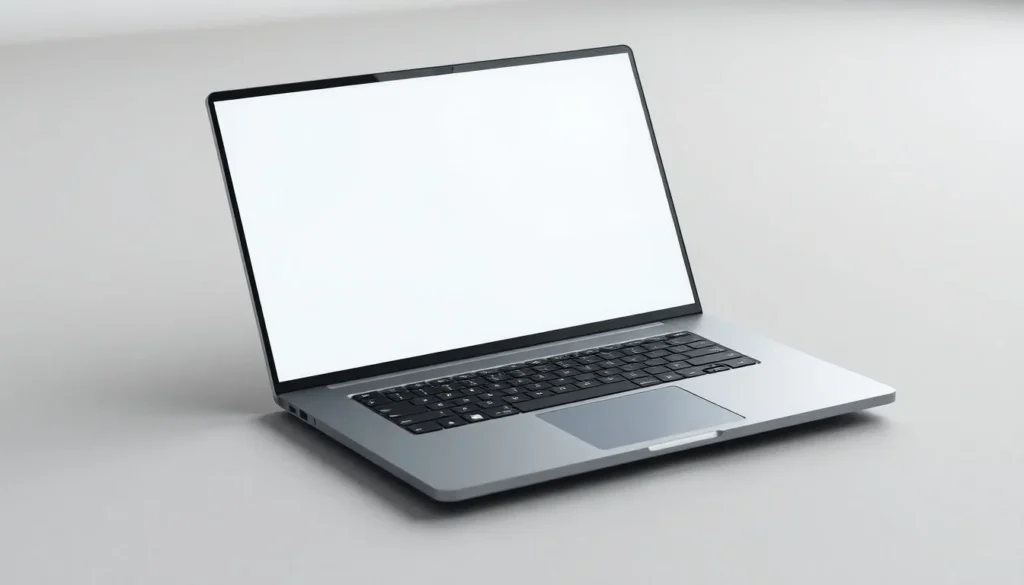
Processor and Performance
The processor is the brain of the laptop. When it comes to performance in touchscreen laptops, the processor plays a crucial role in delivering a smooth and efficient user experience. Some of the best touchscreen laptops today are powered by Intel’s latest Core Ultra 7 and Ultra 9 processors, which offer a balance of power, energy efficiency, and AI-accelerated performance.
RAM helps with speed. 8GB is okay; 16GB is better. 32GB is best for power users. For storage, get an SSD. These are significantly faster than older HDDs and enhance the responsiveness and usability of a touchscreen laptop, especially for drawing, editing, or multitasking. Choosing the right combination of processor and supporting specs ensures your touchscreen device can handle both productivity and creativity with ease.
2-in-1 vs. Clamshell Design
When choosing a new laptop, one of the first decisions to make is whether to go with a traditional clamshell design or a more versatile 2-in-1 device. Both options have their strengths and weaknesses, and the right choice largely depends on how you intend to use your laptop.
The clamshell design is the classic laptop form factor. It features a hinged screen and keyboard that opens and closes like a shell, hence the name. Clamshell laptops tend to offer better performance for the price because they prioritize internal space for hardware rather than mechanical flexibility. This means you’re more likely to find stronger processors, better graphics cards, and superior cooling systems in clamshell models, especially in the mid- to high-end range. They also typically have longer battery life and more comfortable keyboards, making them ideal for writers, office workers, and power users who rely on a traditional laptop setup.
These devices either rotate 360 degrees (convertibles) or have detachable screens that can be used independently as tablets. This makes them an excellent choice for students, creatives, and casual users who want a device for both productivity and entertainment. The touchscreen and stylus support make 2-in-1s particularly appealing to digital artists and note-takers.
Top Best Touchscreen Laptops for Professionals
Professionals need reliable laptops. These laptops excel in productivity and security. Let’s take a look at our top picks.
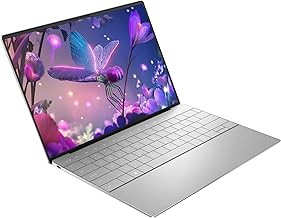
Dell XPS 13 2-in-1
The Dell XPS 13 2-in-1 is sleek. It’s powerful and has a great screen. Security features like an IR camera are included. It offers support options that are beneficial for business users.
The Dell XPS 13 2-in-1 is a standout touchscreen laptop that combines elegant design, solid performance, and flexible functionality in one compact device. It features a 13.4-inch display with vivid colors, excellent brightness, and a 3:2 aspect ratio, which offers more vertical screen space—perfect for reading, writing, or multitasking. The touchscreen is smooth and highly responsive, making navigation feel natural, and it supports stylus input for users who want to draw or take handwritten notes. Powered by Intel’s latest 12th-generation Core processors, the XPS 13 2-in-1 handles everyday tasks with ease and maintains solid performance across productivity apps.
The 360-degree hinge allows users to switch between laptop, tablet, tent, and stand modes, adding to its versatility for different work and entertainment settings. Its slim, lightweight aluminum chassis not only looks premium but also makes it easy to carry around. While battery life is decent, lasting a typical workday with moderate use, it may fall short for power users who need all-day unplugged performance.
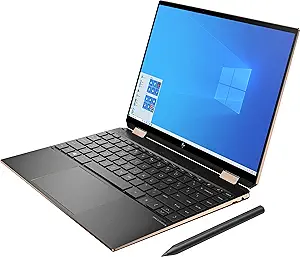
HP Spectre x360 14
This is a versatile 2-in-1. The HP Spectre x360 14 is a premium 2-in-1 laptop that excels in both form and function, offering a refined design and strong performance wrapped in a highly versatile package. It features a stunning 13.5-inch touchscreen laptop display with a 3:2 aspect ratio, which gives users more vertical space for reading, writing, and browsing — a feature particularly appreciated by writers, students, and professionals.
It comes with up to 16GB of RAM and fast SSD storage, ensuring quick boot times and responsive performance. The laptop’s 360-degree hinge allows users to switch seamlessly between laptop, tent, tablet, and stand modes, making it adaptable for different tasks and environments. Stylus support is included, which is perfect for note-taking or sketching on the go. In addition to its sleek, gem-cut design and all-metal build, the HP Spectre x360 14 includes thoughtful features like a physical webcam shutter, fingerprint reader, and long battery life — often stretching through a full workday.
Best Touchscreen Laptops for Students and Everyday Use
Students and casual users need laptops that are cheap. Portability and usability are key for these laptops. Here are some top options.
Lenovo IdeaPad Flex 5 Chromebook (13″)
This Chromebook is affordable. ChromeOS makes it simple. You get great battery life. The touchscreen is responsive, and the keyboard is comfortable.
HP Envy x360 13
The HP Envy x360 13 is stylish. It offers solid performance and good value. Integrated AMD Radeon graphics are included. Expect decent battery life.
Microsoft Surface Go 3
The Surface Go 3 is compact. It’s very portable, giving a tablet-like feel. An optional Type Cover keyboard is available. Surface Pen is also supported.
Touchscreen Laptops for Creative Professionals
Creative pros need powerful laptops. Dedicated graphics and accurate displays are crucial. Let’s take a look at the best laptops for creative professionals.
Apple MacBook Pro 14″ or 16″
The MacBook Pro is powerful. The display is stunning. The creative software ecosystem is optimized. Battery life is long, and build quality is excellent.
ASUS ProArt StudioBook Series
The ASUS ProArt StudioBook has a color-accurate display. It includes powerful components. It also has professional-grade features. Dedicated NVIDIA GeForce RTX graphics provide a boost. You’ll find great connectivity here.
Lenovo ThinkPad X1 Yoga Gen 7
This ThinkPad is durable. An OLED display is optional. It also delivers strong security features. Built with a sleek aluminum chassis and a refined design, this convertible laptop offers a premium look while maintaining the rugged reliability that the ThinkPad line is known for. Its 14-inch touchscreen display is sharp and responsive, with options for high-resolution panels, the best touchscreen laptops, and brightness levels that make it suitable for both indoor and outdoor use. With a 360-degree hinge, the X1 Yoga easily transforms between laptop, tent, stand, and tablet modes, offering versatility for presentations, creative work, or casual browsing. Under the hood, it’s powered by Intel’s 12th-generation Core processors, offering strong performance for demanding productivity tasks, multitasking, and business applications.
Tips and Tricks for Using Your Best Touchscreen Laptops
Want to get the most from your touchscreen laptop? These tips can help you.
Calibrating the Touchscreen
Calibrate your best touchscreen laptops for accurate input. Go to settings and find the calibration tool. Follow the instructions. This improves touch accuracy.
Using Stylus Pens Effectively
Stylus pens are great for note-taking. Use them for drawing and navigating. Practicing good posture and holding the stylus like a traditional pen can also reduce fatigue during long sessions. Whether you’re sketching, annotating documents, or simply navigating your device, using a stylus thoughtfully and taking the time to explore its tools and features can make your digital experience feel more natural and efficient.
Conclusion
In conclusion, the best touchscreen laptops combine responsive displays, strong performance, and versatile designs to meet the needs of a wide range of users. Whether you’re a student taking digital notes, a creative professional sketching ideas, or a business user multitasking on the go, there’s a touchscreen laptop tailored to your workflow. Devices like the HP Spectre x360, Dell XPS 13 2-in-1, and Lenovo ThinkPad X1 Yoga Gen 7 stand out for their premium build quality, powerful internals, and flexible 2-in-1 functionality. What sets these models apart is their ability to deliver both the convenience of a tablet and the productivity of a laptop without compromise. Ultimately, choosing the right touchscreen laptop depends on your specific needs—whether that’s battery life, stylus support, portability, or processing power. With today’s advanced features and designs, touchscreen laptops have become a reliable and smart investment for work, creativity, and everyday use.
Are Touchscreen Laptops Worth It?
Absolutely, but it depends on you— if your work or play involves sketching, annotating PDFs, or just hating mice with a passion, yeah, they’re a lifesaver that makes everything feel more intuitive and fun. For straight typing marathons? Maybe skip unless you crave that tablet flexibility. In 2026, with better integration across apps, the “worth it” line has shifted toward yes for most multitaskers.
Which Touchscreen Laptops Have the Best Battery?
Hands down, the Lenovo Yoga 7i 2-in-1 edges out the pack with up to 17 hours of mixed use, thanks to its efficient Intel Core Ultra chip and optimized OLED—that’s Netflix binges and doc editing without a charger in sight. Close runners-up: The HP OmniBook 5 14 clocks in at 16+ hours on Snapdragon power, perfect for road warriors. Avoid gaming touch rigs if longevity’s your jam; they guzzle juice.
What Is the Best Touchscreen Laptop Under $1000?
For under a grand, grab the Lenovo Yoga 7i 2-in-1 (14″) at around $949—it’s got that vivid OLED touch, solid stylus support, and enough grunt for school or light work without skimping on build quality. If you want something even cheaper, the Dell Inspiron 14 7445 at $799 nails basics with decent battery, though skip the pen dreams there. Both crush the value game right now.